# Using SSH
[Secure Shell (SSH)](https://en.wikipedia.org/wiki/SSH_\(Secure_Shell\)) is a network protocol that runs on port `22` by default and provides users such as system administrators a secure way to access a computer remotely. SSH can be configured with password authentication or passwordless using [public-key authentication](https://serverpilot.io/docs/how-to-use-ssh-public-key-authentication/) using an SSH public/private key pair.
SSH can be used to remotely access systems on the same network, over the internet, facilitate connections to resources in other networks using port forwarding/proxying, and upload/download files to and from remote systems.
SSH uses a client-server model, connecting a user running an SSH client application such as `OpenSSH` to an SSH server. While attacking a box or during a real-world assessment, we often obtain cleartext credentials or an SSH private key that can be leveraged to connect directly to a system via SSH.
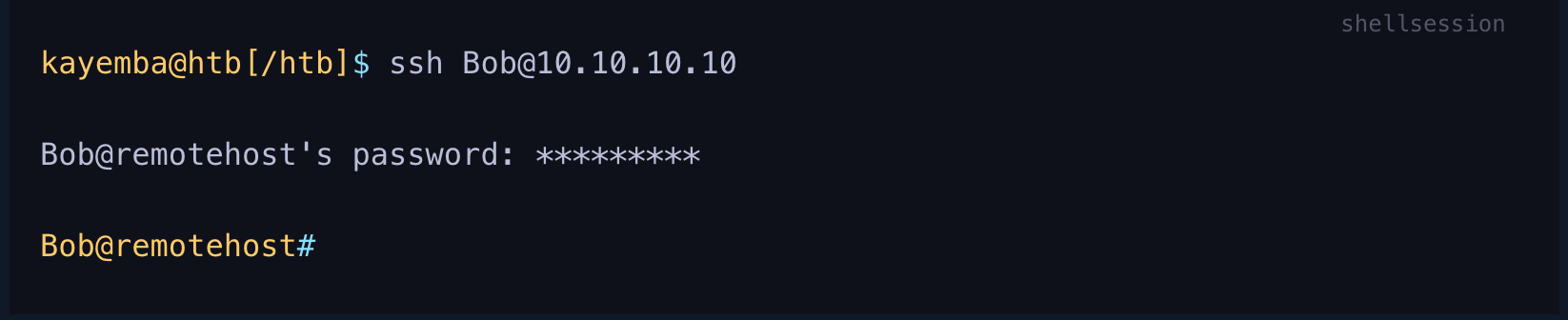
An SSH connection is typically much more stable than a reverse shell connection and can often be used as a "jump host" to enumerate and attack other hosts in the network, transfer tools, set up persistence, etc. If we obtain a set of credentials, we can use SSH to login remotely to the server by using the username `@` the remote server IP, as follows:
It is also possible to read local private keys on a compromised system or add our public key to gain SSH access to a specific user, as we'll discuss in a later section.
### Using Netcat
[Netcat](https://linux.die.net/man/1/nc), `ncat`, or `nc`, is an excellent network utility for interacting with TCP/UDP ports. It can be used for many things during a pentest. Its primary usage is for connecting to shells, `netcat` can be used to connect to any listening port and interact with the service running on that port.
For example, `SSH` is programmed to handle connections over port 22 to send all data and keys. We can connect to TCP port 22 with `netcat`:
As we can see, port 22 sent us its banner, stating that `SSH` is running on it. This technique is called `Banner Grabbing`, and can help identify what service is running on a particular port. `Netcat` comes pre-installed in most Linux distributions.
We can also download a copy for Windows machines from this [link](https://nmap.org/download.html). There's another Windows alternative to `netcat` coded in PowerShell called [PowerCat](https://github.com/besimorhino/powercat). `Netcat` can also be used to transfer files between machines.
Another similar network utility is [socat](https://linux.die.net/man/1/socat), which has a few features that `netcat` does not support, like forwarding ports and connecting to serial devices. `Socat` can also be used to [upgrade a shell to a fully interactive TTY](https://blog.ropnop.com/upgrading-simple-shells-to-fully-interactive-ttys/#method-2-using-socat).
{% embed url="" %}